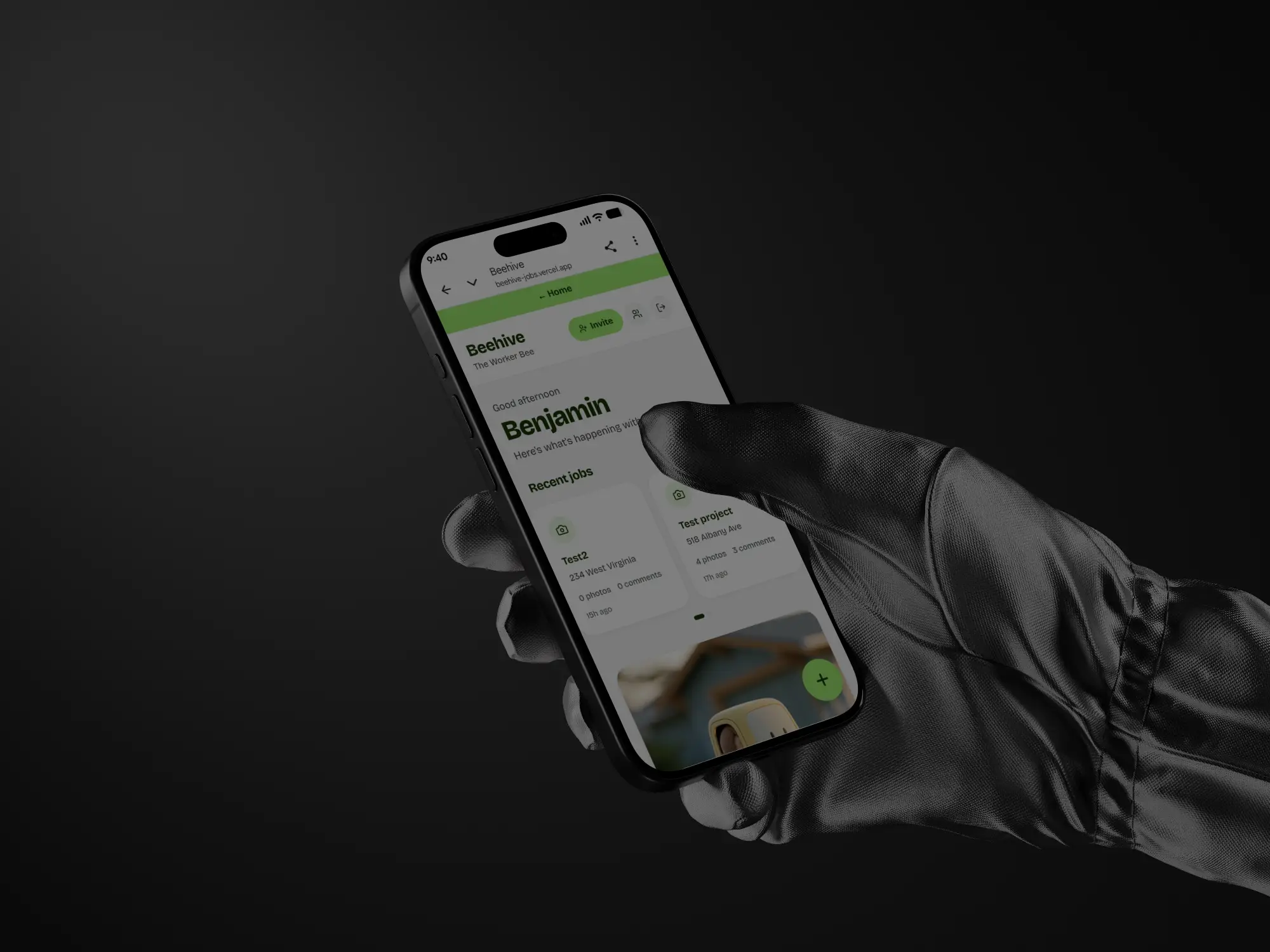
Contractor Photo Sharing AppContractor Photo Sharing App
Overview
Beehive is a full-stack job photo sharing platform built for Worker Bee Services, a company based in New York. The client needed a simple way to document work, share photos with customers, and keep their team connected — without customers needing to create accounts.
Beehive is a custom-built mobile web application designed specifically for field service businesses like handyman companies, detailing services, construction crews, and maintenance teams. It replaces expensive tools like CompanyCam ($165/month) with a fully owned, purpose-built solution that costs a fraction of the price to run.
Job Management
Create jobs with a title, customer name, category, and due date. Every job gets a unique customer share link, a status tracker, and a full media and comments thread. The whole team sees every job in a shared workspace.
Job Status Tracking
Every job is tracked as Open, In Progress, or Complete. Status is visible on the job list and can be updated instantly from inside the job with a single tap.
Job Categories
Assign jobs to categories — Plumbing, Electrical, Carpentry, Painting, HVAC, Landscaping, General, or Other. Categories show as colour-coded badges on every job card.
Due Dates
Set a due date on any job. The badge changes colour automatically — green for upcoming, orange for due soon, red for overdue — so nothing slips through the cracks.
Photo and Video Uploads
Team members upload photos and videos directly from their phone on site. Videos up to 15 seconds are automatically compressed and optimised before uploading. All media is stored securely in the cloud.
Customer Share Link
Every job gets a unique shareable link that can be sent to the customer via text or email. Customers can view all photos and videos and leave comments without creating an account. No app download required.
Real-Time Comments
Team members and customers can comment on any job. Comments update live for everyone viewing the job at the same time. Team comments are clearly labelled to distinguish them from customer messages.
@Mentions
Tag a team member in a comment by typing @Name. Their name highlights in green so the right person sees it immediately.
Search and Filter
Search across all jobs by title or customer name in real time. Filter by status (Open, In Progress, Complete) or by category. Filters combine with search for precise results.
Who Created the Job
Every job shows which team member created it so the owner always knows who is responsible for each piece of work.
Team Management
Invite team members by email. New members set their own password and enter their name before joining. The owner can remove team members at any time. All member names appear correctly throughout the app — never as email addresses.
Delete Projects
Any team member can permanently delete a job with a two-step confirmation to prevent accidents.
Home Dashboard
Every team member gets a personalised home screen showing a time-based greeting with their name, a daily Rumi quote, horizontally scrollable recent jobs, a live activity feed showing the latest photo uploads and comments across all jobs, and a scrollable crew section showing all team members.
Authentication and Onboarding
Email-based team invite flow. The owner sends an invite directly from the app, the new team member receives an email, clicks the link, sets their password, enters their name on a custom welcome screen, and lands straight on the home dashboard. Customers never need an account — they access jobs via a unique share link.
Photo Annotation
Team members can annotate photos directly within the app — draw, mark up, and highlight areas of a job photo before saving. Annotated photos are stored separately and clearly labelled in the media grid.
Haptic Feedback
The Vibration API is integrated throughout the Android experience. Every key action has a distinct vibration pattern — a soft buzz when sending a comment, a rising pulse when uploading photos, a satisfying triple buzz when creating a new job, and a clear error buzz when something goes wrong. It makes the app feel tactile and responsive like a native application.
Design and Experience
Beehive is designed to feel like a premium native app. It uses the Bricolage Grotesque font, a clean Wise-inspired colour palette with dark green and lime green accents, large bold typography, rounded card layouts, and smooth transitions throughout. Haptic feedback is built in on Android for key actions like sending comments, uploading photos, and creating jobs. The app can be installed directly to the Android or iPhone home screen as an icon with no app store required.
Deployment and Infrastructure
Built on a professional CI/CD pipeline — every commit to the GitHub repository triggers an automatic deployment to Vercel. The app runs on a custom domain with Supabase handling authentication, redirect URLs, and row-level security across all database tables. Zero downtime deployments and automatic rollback on failed builds.
Technical Stack
Built on Next.js 14 (App Router), Supabase (Postgres, Auth, and Storage), Vercel, Tailwind CSS, Lucide icons, and the Bricolage Grotesque font. Fully responsive and optimised for mobile use in the field.